Introduction
Modern businesses depend on servers, applications, and IT infrastructure to maintain daily operations. From customer-facing websites to internal business applications, every system needs to perform reliably and efficiently. Even minor technical issues can cause downtime, slow response times, and interruptions to business activities.
Server and application monitoring solutions help organizations track system performance, identify potential problems, and maintain the availability of critical IT resources. By monitoring important performance indicators, IT teams can respond to issues before they significantly affect users or business operations.
Effective system management combines continuous monitoring, proactive maintenance, and timely troubleshooting to create a stable and dependable technology environment.
What Are Server and Application Monitoring Solutions?
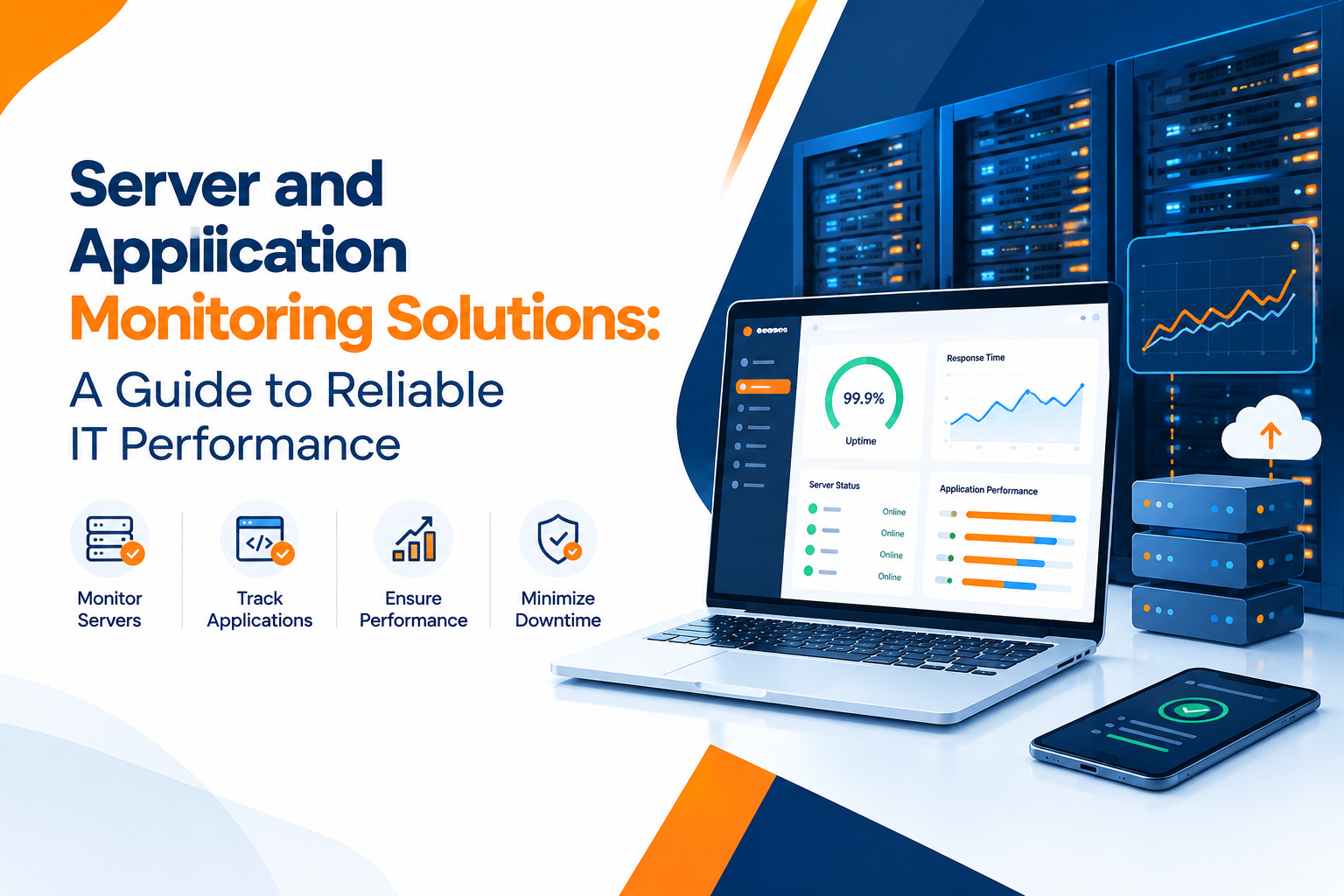
Server and application monitoring solutions are tools and processes used to observe the health, availability, and performance of IT systems. They collect information from servers, applications, databases, networks, and related infrastructure to help technical teams understand how their systems are operating.
Server monitoring typically focuses on CPU utilization, memory usage, storage capacity, network activity, and server availability. Application monitoring examines response times, transaction performance, application errors, and user experience.
Businesses can explore https://www.clopid.com/ for IT-related solutions that support technology management and business operations.
Why Is Server and Application Monitoring Important?
Monitoring provides visibility into IT infrastructure and helps businesses maintain reliable digital services. Without proper monitoring, technical teams may discover issues only after users report problems or business processes are interrupted.
Key benefits include:
- Reduced Downtime: Detect potential failures early and respond before they cause major disruptions.
- Improved Performance: Identify resource bottlenecks and application slowdowns.
- Better Resource Utilization: Understand server capacity and optimize computing resources.
- Faster Troubleshooting: Use logs, metrics, and alerts to investigate technical problems.
- Enhanced User Experience: Maintain responsive applications and dependable digital services.
- Proactive Maintenance: Identify unusual behavior and address emerging risks before they escalate.
A structured monitoring approach helps organizations move from reactive troubleshooting toward proactive system management.
Key Features of Effective Monitoring Solutions
1. Server Health Monitoring
Server health monitoring tracks essential infrastructure metrics, including CPU usage, memory consumption, disk space, network traffic, and system availability.
These metrics help IT administrators recognize unusual resource usage and determine whether servers require additional capacity, configuration changes, or maintenance.
2. Application Performance Monitoring
Application performance monitoring evaluates how applications behave under different workloads. It can track response times, transaction failures, error rates, and dependencies between application components.
For example, if a business application becomes slow during peak traffic, monitoring data can help identify whether the cause is application code, database performance, or insufficient server resources.
3. Real-Time Alerts and Notifications
Automated alerts notify IT teams when predefined thresholds are exceeded or unusual activity is detected.
Alerts should be configured around meaningful events, such as critical service failures, rapidly declining disk space, or sustained high resource utilization. Appropriate thresholds help reduce unnecessary notifications and alert fatigue.
4. Log Management and Error Tracking
System and application logs provide details about events, warnings, errors, and operational activities. Centralized log management makes it easier to investigate incidents across multiple systems.
Combining logs with performance metrics can help teams understand the sequence of events leading to an outage or application failure.
5. Dashboard and Performance Reporting
Monitoring dashboards display important system metrics in a centralized view. IT administrators can review current system health, compare performance trends, and identify recurring issues.
Reports can also support capacity planning, operational reviews, and technology investment decisions.
How to Implement a Server and Application Monitoring Strategy
Step 1: Identify Critical Systems
Start by listing the servers, applications, databases, and services that are essential to business operations. Prioritize systems based on their business impact and the consequences of downtime.
Step 2: Define Performance Metrics
Select metrics that reflect system health and application reliability. These may include CPU utilization, memory usage, disk capacity, response time, error rates, availability, and transaction success rates.
The metrics should align with the needs of each application rather than relying on the same thresholds for every system.
Step 3: Choose Suitable Monitoring Tools
Select monitoring tools based on infrastructure size, application architecture, integration requirements, security needs, and budget.
Some organizations may need infrastructure-focused monitoring, while others require application tracing, centralized logging, cloud monitoring, or a combination of these capabilities.
Step 4: Configure Alerts and Escalation Rules
Establish thresholds for critical performance indicators and define who should receive notifications. Document escalation procedures so that urgent incidents reach the appropriate technical teams quickly.
Step 5: Review Trends and Optimize Performance
Monitor performance trends over time to identify recurring bottlenecks, resource constraints, and opportunities for improvement. Regular reviews help teams make informed decisions about infrastructure upgrades and application optimization.
For businesses seeking practical IT management resources, https://www.clopid.com/ can serve as a starting point for exploring technology-related solutions.
Common Server and Application Monitoring Challenges
Despite its benefits, monitoring can become difficult when systems are complex or poorly integrated.
Alert overload: Excessive notifications can cause important warnings to be overlooked. Use meaningful thresholds and prioritize alerts by severity.
Limited visibility: Separate monitoring tools may leave gaps across applications and infrastructure. Integrating relevant data sources can provide a clearer operational picture.
Increasing infrastructure complexity: Cloud platforms, distributed applications, and third-party services can make performance issues harder to trace. Monitoring should account for important dependencies.
Resource constraints: Monitoring systems require configuration, maintenance, and technical expertise. Choose an approach that matches available resources.
Security and privacy concerns: Monitoring data may contain sensitive operational information. Apply appropriate access controls, retention policies, and data protection practices.
Best Practices for Reliable System Management
Businesses can improve monitoring effectiveness by following these practices:
- Monitor business-critical services and dependencies.
- Establish realistic performance baselines.
- Review alert thresholds regularly.
- Keep monitoring agents and tools updated.
- Protect monitoring dashboards and collected data.
- Document incident response and recovery procedures.
- Test alert delivery and escalation processes.
- Use monitoring insights to guide capacity planning.
- Review recurring incidents to identify their root causes.
Consistent monitoring and maintenance help IT teams maintain visibility while reducing avoidable operational risks.
Conclusion
Server and application monitoring solutions play an important role in maintaining reliable IT infrastructure. By tracking system health, analyzing application performance, and detecting potential failures early, organizations can reduce downtime and improve the stability of their digital services.
A successful monitoring strategy combines appropriate tools, relevant performance metrics, actionable alerts, and regular system reviews. With a proactive approach to system management, businesses can improve operational efficiency and provide a more dependable experience for employees and customers.
Visit Website
Explore Clopid for IT-related solutions and resources that support business technology needs.
Visit the website to learn more about available solutions and how technology services can support your business operations.